
Download Home Fitness – Free Workout Program, Daily Fitness Routines, Personal Trainer, Home Exercise Guide
Overview
Home Fitness is a desktop application designed to serve as a personal trainer for individuals seeking to maintain or improve their physical health from the comfort of their home. The software provides a structured, daily workout program that targets major muscle groups, making it suitable for users of all fitness levels. It is developed by Home Fitness Studio, a company focused on accessible wellness tools, and is intended for users who prefer self-guided fitness routines without the need for gym equipment or in-person coaching. The application supports a variety of exercise types, including strength training, stretching, and warm-up sessions, all aligned with scientifically informed fitness principles.
Real-world usage scenarios include daily home workouts for busy professionals, individuals recovering from minor injuries, or those who prefer privacy while exercising. The software enables users to follow guided routines with clear visual cues, helping maintain proper form and reduce the risk of injury. With built-in progress tracking and a workout calendar, users can monitor their consistency and improvements over time. The application is available in a free version with full feature access, and a premium upgrade option is available for enhanced functionality. The software is designed to be self-sufficient, requiring no external trainer or equipment.
Key Features & Capabilities
- Daily Workout Routines – The software delivers a rotating schedule of workouts tailored to major muscle groups, promoting balanced physical development and routine consistency.
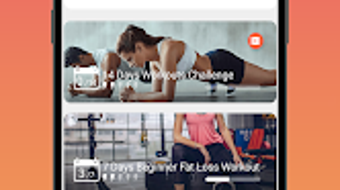
- Exercise Animations and Video Guidance – Each movement is illustrated with clear animations and video demonstrations, enabling users to replicate proper form and technique with confidence.
- Warm-Up and Stretching Sessions – Pre- and post-workout routines are included to prepare the body and aid recovery, supporting long-term fitness sustainability.
- Progress Tracker and Workout Calendar – Users can log completed sessions and view their fitness journey over time, reinforcing motivation and accountability.
- Equipment-Free Exercises – All routines are designed to be performed without additional gear, making the software ideal for home environments with limited space or resources.
- Free Access with Premium Upgrade Option – The core functionality is available at no cost, with optional paid features to enhance the experience.
These features support a seamless fitness experience, allowing users to plan, execute, and monitor workouts independently. The visual guidance system is particularly beneficial for beginners unfamiliar with correct exercise execution. The calendar helps establish habits, while the progress tracker provides measurable feedback on performance improvements.
User Interface, Workflow & Performance
The user interface is designed with simplicity in mind, featuring a clean layout and intuitive navigation. Users can access workout plans, view exercise instructions, and log sessions through a straightforward menu structure. The workflow is linear and efficient, guiding users from selecting a routine to completing and recording a session. The software does not require extensive setup, enabling immediate use after installation.
Navigation is consistent across all sections, with clearly labeled buttons and visual cues to support ease of use. The interface adapts to different screen sizes, ensuring readability and accessibility. Performance observations are based on general software behavior patterns, as specific resource usage details were not provided. The developer did not specify CPU or RAM consumption levels, nor did they detail stability under prolonged use. However, the application is designed to function without external dependencies, suggesting a lightweight operational profile.
Compatibility & System Requirements
Home Fitness is compatible with Windows and Mac operating systems, as specified in the product information. The software is available in a desktop version, designed for use on personal computers. The installation size is reported to be 50 MB, indicating a lightweight footprint suitable for systems with limited storage. The developer did not provide additional system requirements, including minimum processor speed, RAM, or graphics specifications.
Compatibility information was partially provided, with no details on specific OS versions or hardware compatibility beyond the general platforms. The developer did not specify whether the software supports older or newer versions of Windows or macOS. Users should verify compatibility with their specific system configuration before installation. The software is updated regularly, suggesting ongoing support and feature enhancements.
Pros and Cons
Pros
- Free access to a comprehensive set of workout features
- Clear visual guidance through animations and videos
- Designed for home use with no equipment required
- Includes warm-up and cool-down routines for safety
- Progress tracking and calendar for habit formation
- Regular updates with new routines and improvements
Cons
- Exact system requirements were not listed
- Performance and resource usage details were not provided
- Limited information on hardware compatibility
- Only available for Windows and Mac (no other platforms)
- Premium upgrade required for additional features
FAQ Section
Is Home Fitness available for Windows and Mac?
Yes, the software is compatible with both Windows and Mac operating systems, as confirmed by the developer.
Is the software free to download and use?
Yes, Home Fitness offers a free version with full access to core features. A premium upgrade is available for additional functionality.
Does Home Fitness require an internet connection?
The software can be used offline after initial setup. However, updates and new content may require an internet connection.
How often is Home Fitness updated?
The application is updated regularly with new workout routines and feature improvements.
Can I use Home Fitness without any exercise equipment?
Yes, all exercises in the program are designed to be performed without equipment, making it ideal for home use.
Final Thoughts + CTA
Home Fitness delivers a well-rounded, accessible fitness solution for individuals committed to maintaining their health at home. With its structured daily routines, visual guidance, and built-in tracking tools, it supports both beginners and experienced users in building sustainable habits. While detailed technical specifications are limited, the software’s design emphasizes usability, safety, and consistency. The free version offers robust functionality, making it a strong choice for those seeking a no-cost, equipment-free workout experience.
Users who value self-guided training, privacy, and long-term progress tracking will benefit most from this application. Its regular updates and focus on proper form enhance its value over time. For anyone looking to stay active without leaving home, Home Fitness provides a reliable, professional-grade tool.
Download Home Fitness now






.png)
